Remote Control
Drive a live Claude Code, Codex, Cursor, or Gemini session from your phone.
Send messages from your phone into a live session — even after a zeph_ask polling window has
expired.
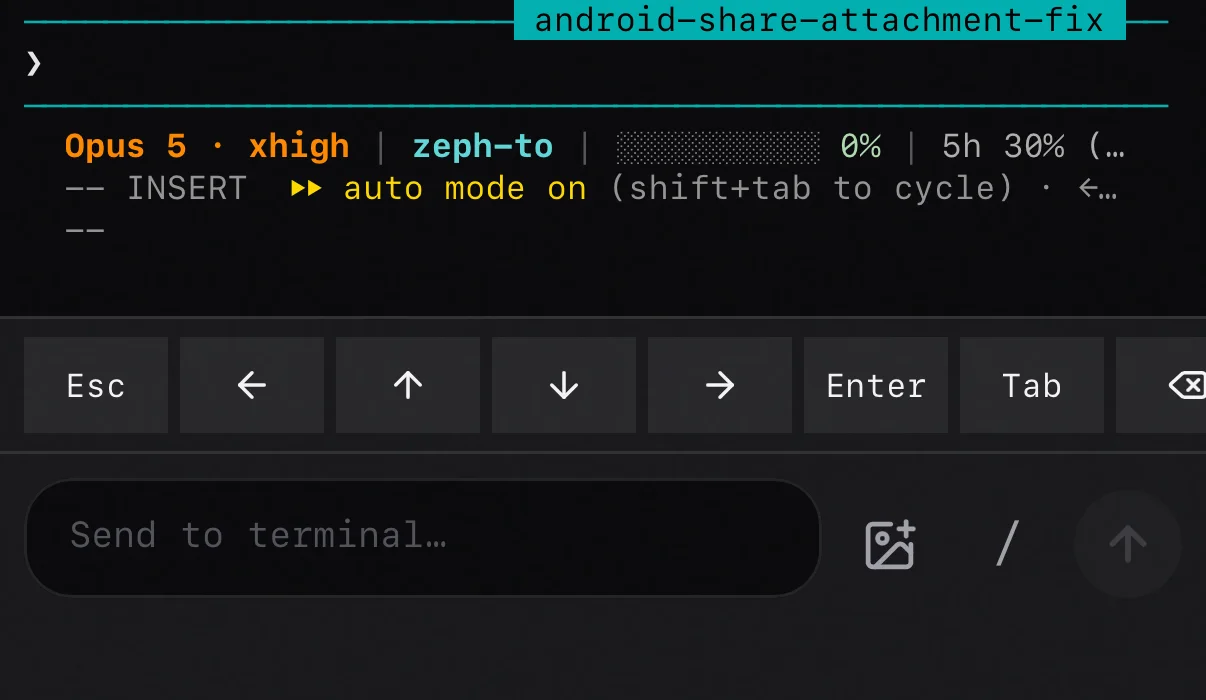
The MCP tool zeph_ask waits on a fixed timeout of 120 to 600
seconds. Once that window closes the session becomes unaddressable from the phone even though it
is still running. The zeph listener daemon fixes this by keeping a persistent WebSocket open to
Zeph and injecting matching messages into a named tmux session via tmux send-keys.
Architecture
[phone — "Active Agents" picker on Zeph app]
   │  selects session, types message
   ▼  POST /pushes/send  { type: 'agent.command',
   │                       agentSessionName: 'zeph-myapp',
   │                       body: '리팩토링 마무리해줘' }
[Zeph backend]
   │  WebSocket fan-out (push.new)
   ▼
[zeph listener — resident daemon, started by `zeph cc` automatically]
   │  tmux send-keys -l -t zeph-myapp "리팩토링 마무리해줘" + Enter
   ▼
[tmux session "zeph-myapp" running claude / codex / cursor-agent / gemini]
The listener polls its tmux session inventory every 5 seconds and reports it to the server whenever something changed — a new session, an agent state transition, activity. An unchanged inventory is re-sent only as a 30-second idle heartbeat. The phone picker stays in sync with no manual configuration, and an idle listener costs the backend a fraction of what a fixed 5-second report cycle would.
Setup
-
Install tmux. The listener uses
send-keys; the wrapper spawns named sessions.brew install tmuxon macOS,apt install tmuxon Debian or Ubuntu. -
Add
wsUrlto~/.zeph/config.json— the WebSocket endpoint of your Zeph backend, which is the CDK outputWsApiUrl:{ "apiKey": "ak_...", "hookId": "hook_...", "wsUrl": "wss://<api-id>.execute-api.<region>.amazonaws.com/<stage>" }This is where it belongs.
--ws-urloverrides it for a single run.ZEPH_WS_URLis deprecated: it used to outrank this file, so anexportin a shell profile chose the stage silently — indistinguishable from the file not being read. It now loses to the file and is read only when the file has nowsUrl, so nothing that worked stops working.zeph verifysays so while it is still set. -
Run agents through the wrapper. That is all.
zeph cc        # claude       → tmux session "zeph-<project>"
zeph codex     # codex        → tmux session "zeph-<project>"
zeph cursor    # cursor-agent → tmux session "zeph-<project>"
zeph gemini    # gemini       → tmux session "zeph-<project>"
zeph hermes    # hermes       → tmux session "zeph-<project>"
zeph cursor runs cursor-agent, Cursor's terminal agent. That is a separate install from
the Cursor IDE — the bare cursor on your PATH is the editor launcher, which exits immediately
and cannot be driven.
The listener starts itself
The first zeph cc on a machine auto-spawns a background listener: a singleton, with a PID file
at ~/.zeph/listener.pid and output at ~/.zeph/listener.log.
You never run zeph listener by hand. Every zeph cc checks the PID file and skips the spawn
when one is already alive, so opening a dozen terminals does not create a dozen daemons. The
daemon survives between zeph cc invocations.
Project names and pass-through arguments
The project name resolves from CLAUDE_PROJECT_DIR, CURSOR_PROJECT_DIR, or
WINDSURF_PROJECT_DIR if set, else the git repo root, else the cwd basename.
Any extra arguments after the command pass through to the agent verbatim:
zeph cc --resume "abc123"
zeph cc --dangerously-skip-permissions
zeph codex --model gpt-5-high "fix the failing test"
Multiple sessions in one project
Open another terminal in the same folder, run zeph cc again, and the wrapper auto-suffixes: the
first session is zeph-encl, the next attached one becomes zeph-encl-2, then zeph-encl-3. The
phone picker shows them as encl · Claude, encl · Claude #2, encl · Claude #3.
If zeph-encl already exists but is detached, with no one attached, the wrapper reattaches to
it instead of spawning a new one. Close the terminal, come back later, pick up where you left off.
If you are already inside a tmux session ($TMUX is set) the wrapper skips the outer tmux and
runs the agent in the current pane. The listener cannot target an unnamed session that way, but
you keep your existing multiplexer setup.
Remote-origin detection (sticky REMOTE mode)
A message injected via send-keys is indistinguishable from typing. So the listener also records
each injection as a one-shot marker — an epoch plus the sha256 of the text, keyed by the pane's
project directory. A prompt-submit hook on the agent side matches the submitted prompt against
that marker and, on an exact match, tells the model the user is driving the session from their
phone. That is sticky REMOTE mode, where every response ends with an answerable zeph_ask.
| Agent | Hook | Installed by |
|---|---|---|
| Claude Code | UserPromptSubmit → plugin's zeph-remote.sh | Zeph plugin |
| Gemini CLI | BeforeAgent → zeph remote-hook gemini | zeph setup |
| Codex CLI | UserPromptSubmit → zeph remote-hook codex | zeph setup |
| Cursor CLI | — none yet | — |
Detection is exact-match, so a terminal keystroke racing a phone message can never false-flag. Muted projects are never flagged.
Cursor needs one sentence
zeph cursor has no remote-origin hook, so it never enters sticky REMOTE mode by itself. Just ask
for it — one line, once per session:
I'm driving this session from my phone. End every response with
zeph_askso I can answer with a button.
Nothing else is missing: injection works, and the MCP tools are all there, zeph_ask included.
Check them with cursor-agent mcp list-tools zeph — mcp list prints only the approved list,
not what is configured, so it reads as empty even when the server is wired up.
Why it is not automatic: hooks.json is honored by the Cursor IDE but not by cursor-agent, and
beforeSubmitPrompt's output schema is {continue, user_message} — there is no context channel
to deliver a marker match through. Same reason the stop-hook auto-push that zeph setup
installs covers the Cursor IDE but not zeph cursor panes; ask for a zeph_notify when you
want one.
Diagnostics
The auto-spawned listener writes three files under ~/.zeph/:
listener.pid— the running daemon's PID.cat ~/.zeph/listener.pidthenps -p <pid>to confirm it is alive.listener.version— the CLI version the daemon booted from. This is whatzeph cccompares against the installed package to spot a stale daemon.listener.log— stdout and stderr from the daemon.tail -fto watch.
The daemon logs its version on the first line, which is the only reliable way to tell which build a long-running process is on:
[xx:xx:xx] zeph listener starting — v1.26.0 — wss://ws.zeph.toA healthy listener log shows one line per cycle:
[xx:xx:xx] reported 2 session(s): zeph-myapp, zeph-otherapp
[xx:xx:xx] ✓ server persisted 2 session(s)
If you see ! server rejected listener.sessions: ... instead, the message points at the failure —
auth, a missing device record, and so on — so you can fix the actual problem instead of guessing.
Restarting
zeph listener --restartAfter upgrading @zeph-to/cli you normally do not have to. npm i -g replaces the package on
disk but never the daemon already running from the old build. That daemon keeps answering pushes,
so agent chat looks fine, while silently ignoring every message subtype added since it booted.
zeph cc compares listener.version against the installed version and restarts the daemon for
you when the installed one is newer. A daemon newer than the zeph cc you ran is left alone, so
several installs on one machine do not fight over it:
zeph: listener 1.25.0 is stale — restarting on 1.26.0If the PID file is missing — a different account started the daemon, or it was removed by hand — the singleton guard cannot see it. Find the real process instead:
ps aux | grep '[c]li.js listener'To run it in the foreground, which is useful when developing the SDK itself:
zeph listenerYou get the same logs you would otherwise tail from listener.log.
Custom tmux sockets
The listener auto-discovers the tmux socket. It probes the default location, walks per-user
$TMPDIR paths (on macOS, /var/folders/.../T/), falls back to /tmp/tmux-<uid>/, and finally
finds running tmux servers via lsof so stale socket files do not trip discovery.
If your tmux uses tmux -L <name> or a non-standard -S <path>, set the override explicitly:
export ZEPH_TMUX_SOCKET=/path/to/socketThe wrapper passes the environment to the auto-spawned listener, so setting it in your shell rc is enough.
Wire format
The listener only acts on pushes with type='agent.command' carrying the tmux session name in
agentSessionName and the message in body. Other pushes — Stop-hook auto-pushes, zeph_ask
responses, channel broadcasts, plain notes — are ignored. End to end:
tmux send-keys -l -t <agentSessionName> "<body>"
tmux send-keys    -t <agentSessionName> Enter
If you need to send one from the command line, for debugging or scripting, build the structured push directly:
curl -X POST "$ZEPH_BASE_URL/pushes/send" \
  -H "X-API-Key: $ZEPH_API_KEY" \
  -H 'Content-Type: application/json' \
  -d '{
    "type": "agent.command",
    "targetDeviceId": "dev_listener_<sha8(hostname)>",
    "agentSessionName": "zeph-myapp",
    "body": "테스트 통과시키고 PR 올려줘"
  }'
Defense
The listener is a remote-code-execution surface by design — it types into a shell-adjacent pane. The defense is layered:
- Pane guard. Before injecting, the listener checks
tmux display-message -p '#{pane_current_command}'. If the pane is at an interactive shell (bash,zsh,fish,sh,dash,ksh,tcsh,csh,pwsh), the inject is refused. An exited agent does not become free shell access for the phone. - Literal injection.
tmux send-keys -ltakes the payload as data, so tmux escape sequences inside a message cannot drive other tmux commands. - Session-name allowlist. Only
[A-Za-z0-9._-]+is accepted as a session target, so shell metacharacters never reach the tmux argv. - Per-session rate limit. A 30-injections-per-minute token bucket per session caps a runaway or compromised sender.
- The agent permission gate stays on. Your agent's permission prompt is still in front of
every destructive tool call. The phone can talk but cannot approve
rm -rffor you.
The WebSocket transport is authenticated by API key plus the push:read scope. Whether the
backend also gets to read what crosses it depends on encryption being on:
- Encryption off, which is the default. The phone has no device keypair to hand the listener, so pane frames and the messages you type both cross the relay in plaintext.
- Encryption on. The phone sends its device public key when it subscribes, every pane frame comes back inside an ECDH P-256 + AES-256-GCM envelope, and your keystrokes are sealed for the listener with their sequence stamps sealed inside the ciphertext, so the relay cannot replay one. A frame that fails to encrypt is dropped rather than downgraded.
Two gaps survive either way. A message sent while no live stream is open falls back to REST, which is plaintext to the server. And the sealed channel buys confidentiality against a passive relay only — each side learns the other's key from the wire, so a backend that mints its own keypair can pose as the listener.